Camera · angle
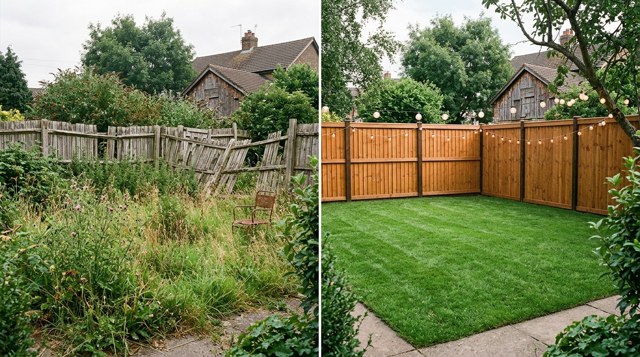
Before and After Split
Also called: split screen, before and after, side-by-side comparison, two futures, makeover split
What it is
One frame cut down the middle: the same subject from the same spot in two states. Left is before, right is after, and the seam does the talking.
What it says: Look what changed.
The prompt
Paste it into an image or video prompt as is, then add your own subject.
Prompt
split screen down the centre with a thin vertical seam, the same subject from the same camera position on both sides, left half before and right half after, matched framing and horizon, only the state changes, straight-on locked camera
Not this
What it gets confused with, or how it fails. Use it as a negative prompt where the tool takes one.
Not this
Not two different shots side by side: the framing must match so only the change reads.